


DDR4 vs DDR5 RAM Explained
Published 20th July 2026 | Article by KingstonMemoryShop | Posted in DRAM/Memory
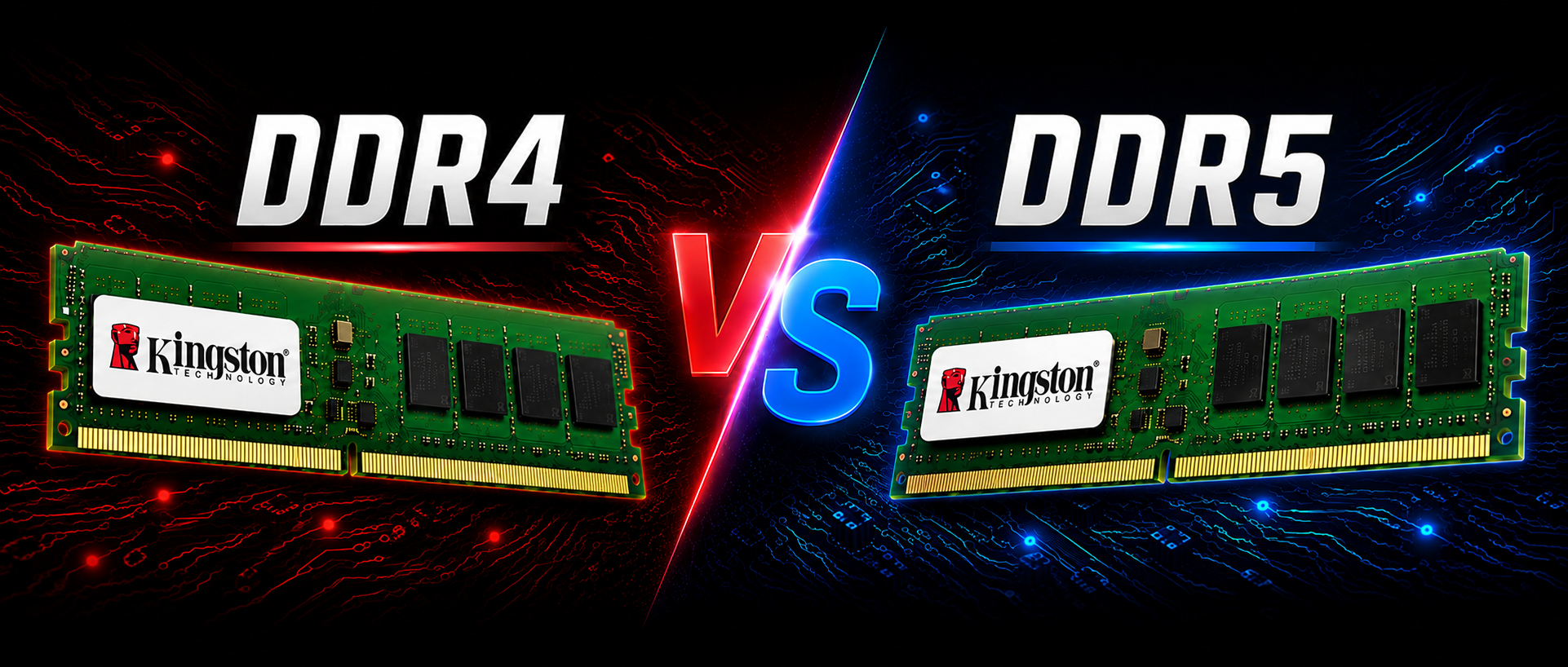
DDR4 vs DDR5 RAM Explained: Which Memory Is Right for Your PC?
DRAM/RAM is one of the most important components in any desktop PC, laptop, workstation or server. It gives your processor fast access to the data needed by Windows, applications, games and professional software. When building a new computer or planning a memory upgrade, one of the most common questions is whether to choose DDR4 or DDR5 RAM.
DDR4 remains widely used, affordable and capable of delivering excellent everyday and gaming performance. DDR5 is the newer memory generation, offering higher data rates, greater bandwidth, improved power management and a platform designed to support future processors and larger memory capacities.
However, DDR5 is not a direct replacement that can simply be installed in any DDR4 computer. The two memory generations use different electrical designs and physical key positions, so your motherboard and processor must support the type of RAM you purchase.
DDR4 vs DDR5 at a glance
- DDR4: mature, cost-effective and ideal for compatible existing systems
- DDR5: faster, more bandwidth-efficient and designed for newer platforms
- DDR4 and DDR5 modules are not physically interchangeable
- Your motherboard and processor determine which memory generation you can use
- Capacity, compatibility and workload matter more than choosing RAM by speed alone
Looking for compatible Kingston RAM?
KingstonMemoryShop supplies genuine Kingston DDR4 and DDR5 memory for desktops, laptops, gaming PCs, workstations and servers. Use the links below to browse available memory or find a compatible upgrade for your device.
Shop Kingston DDR4 RAM Shop Kingston DDR5 RAM
What Is DDR RAM?
DDR stands for Double Data Rate. DDR memory transfers data on both the rising and falling edges of the clock signal, allowing it to move data more efficiently than older single-data-rate memory technologies.
Each new DDR generation is developed to increase performance, improve efficiency and support the requirements of newer computer platforms. DDR4 followed DDR3, while DDR5 represents the next major step in system memory technology.
The generation name does not describe the amount of memory in a module. For example, both DDR4 and DDR5 modules may be available in capacities such as 8GB, 16GB or 32GB. The difference is the memory standard, its architecture, supported speeds and platform compatibility.
DDR4 vs DDR5 Comparison
| Feature | DDR4 RAM | DDR5 RAM |
|---|---|---|
| Memory generation | Established previous-generation standard | Newer-generation standard |
| Typical starting data rate | Commonly 2133MT/s to 3200MT/s | Commonly 4800MT/s and above |
| Operating voltage | Typically 1.2V | Typically 1.1V |
| Power management | Primarily managed by the motherboard | Includes a power management integrated circuit on the module |
| Subchannel design | One 64-bit data channel per standard module | Two independent 32-bit subchannels per standard module |
| Capacity potential | Suitable for most current consumer and business systems | Designed to support higher-density modules and future platforms |
| Best suited to | Compatible existing systems and value-focused builds | New PCs, performance builds and longer-term platform investment |
These figures describe common industry configurations rather than every memory product. Performance RAM, server memory and future modules may operate at different speeds, voltages or capacities. Always check the precise specification of the module and the device in which it will be installed.
DDR5 Offers Higher Memory Bandwidth
The most obvious difference between DDR4 and DDR5 is speed. DDR5 begins at higher standard data rates and has considerably more room to scale as the technology develops. Higher data rates increase the volume of information that can move between the memory and processor over a given period.
This additional memory bandwidth can benefit workloads that repeatedly move large amounts of data, including video editing, 3D rendering, software development, scientific applications, content creation and some modern games.
However, a higher memory specification does not guarantee an equally large improvement in every application. Overall performance also depends on the processor, motherboard, graphics card, storage, software and memory timings. A lightly loaded office PC may feel similar with either memory generation, while a demanding workstation may make much greater use of DDR5 bandwidth.
DDR5 Uses Two Independent Subchannels
A standard DDR4 module is organised around a single 64-bit data channel. DDR5 divides the module into two independent 32-bit subchannels. ECC-based module designs include additional bits, but the same general architectural change applies.
The split-subchannel design allows the memory controller to handle smaller requests more efficiently and improve utilisation of the available bandwidth. It does not mean that one DDR5 module is identical to installing a traditional matched pair of modules, but it does improve efficiency within each module.
For many consumer systems, installing memory as a matched kit is still recommended. A matched pair can allow the platform to use its full supported memory-channel configuration and helps reduce the risk of specification or compatibility differences between separately purchased modules.
Power Efficiency and On-Module Power Management
Standard DDR4 commonly operates at 1.2V, while standard DDR5 typically operates at 1.1V. The lower voltage can improve power efficiency, which is particularly valuable across systems containing large amounts of memory.
DDR5 also moves more of the power-management function from the motherboard to a Power Management Integrated Circuit, often called a PMIC, located on the memory module. This allows more localised regulation of the power supplied to the memory components.
The practical effect for most home users is not dramatic on its own, but the change supports improved efficiency, signal integrity and scalability as DDR5 speeds and capacities increase. Performance memory kits may use higher operating voltages than the standard specification, especially when an overclocking profile is enabled.
Does DDR5 Have Higher Latency?
DDR5 memory often displays higher CAS latency numbers than DDR4. This can make DDR5 appear slower when comparing only the CL figure printed in a product specification.
CAS latency is measured in clock cycles, so it should not be judged without considering the memory data rate. A DDR5 module can complete more cycles in the same period because it operates at a higher speed. The true access time is influenced by both the frequency and latency timings.
For buyers, the most reliable approach is to compare complete memory specifications and independent performance results for the intended workload. A lower CL number is not automatically better when the products use different memory generations or data rates.
DDR4 and DDR5 Are Not Interchangeable
This is the most important compatibility point: DDR4 and DDR5 cannot be installed in the same memory socket. Although desktop DDR4 and DDR5 DIMMs have the same overall pin count, the locating notch is positioned differently and their electrical designs are not compatible.
Laptop DDR4 and DDR5 SODIMMs are also different. DDR4 SO-DIMMs have a 204-pin count whilst DDR5 SO-DIMMs have a 262-pin count. Never force a memory module into a socket. Doing so can damage the RAM, motherboard or both.
Important: Buy the RAM generation listed by your computer or motherboard manufacturer or use our configurator here to match the correct memory to your system. A BIOS update cannot convert a DDR4-only motherboard into a DDR5 motherboard.
Some processor families have been released with support for either DDR4 or DDR5, but the exact type still depends on the motherboard. A board designed for DDR4 accepts only DDR4, while a DDR5 board accepts only DDR5.
DDR4 vs DDR5 for Gaming
DDR5 can provide better gaming performance in the right system, particularly when paired with a modern processor and a powerful graphics card. Games that are sensitive to memory bandwidth or processor performance may show improved frame rates, stronger minimum frame rates or smoother performance with a well-configured DDR5 kit.
The difference is not universal. At higher resolutions, many games are limited more heavily by the graphics card, reducing the visible effect of faster RAM. Capacity is also critical. A computer with insufficient RAM may stutter or rely on slower storage regardless of whether the memory is DDR4 or DDR5.
For an existing DDR4 gaming PC that already has sufficient capacity and a capable processor, replacing the entire motherboard and CPU solely to obtain DDR5 may not provide the best value. For a new gaming build, DDR5 is usually the more forward-looking option when supported by the selected platform and budget.
What matters most for gaming RAM?
- Enough capacity for the games and applications you run
- Compatibility with the motherboard and processor
- A matched kit for the intended channel configuration
- A stable supported data rate and timings
- Correct use of Intel XMP or AMD EXPO profiles where supported
DDR4 vs DDR5 for Content Creation and Workstations
Professional applications often benefit more clearly from DDR5. Video editing, rendering, engineering, virtual machines and large creative projects can place sustained demands on both memory capacity and bandwidth.
DDR5 is designed to support higher-density modules, making it attractive for workstations that need large memory configurations. Its greater bandwidth may also help processors with high core counts remain supplied with data during parallel workloads.
That does not make DDR4 obsolete. A well-equipped DDR4 workstation with 32GB, 64GB or more memory may continue to perform very effectively. Upgrading the capacity of a compatible DDR4 system can be more cost-effective than replacing the full platform, especially when the existing processor remains suitable.
How Much RAM Do You Need?
Choosing the correct capacity is often more important than selecting the fastest available module. The following figures are practical starting points, although individual requirements vary:
- 8GB: basic web browsing, email and light office use
- 16GB: mainstream home use, office work and many gaming systems
- 32GB: modern gaming, content creation, heavier multitasking and professional applications
- 64GB or more: advanced video editing, large creative projects, virtual machines, engineering and workstation workloads
Check the maximum memory capacity supported by the computer or motherboard, the number of available slots and any module-capacity restrictions. Some systems also reserve a portion of installed memory for integrated graphics.
Should You Upgrade from DDR4 to DDR5?
Moving from DDR4 to DDR5 normally requires a new motherboard and may also require a new processor. It is therefore a platform upgrade rather than a simple memory-module replacement.
DDR5 makes the most sense when:
- You are building a new PC around a current DDR5 platform
- Your work benefits from greater memory bandwidth
- You want access to higher-capacity memory configurations
- You are replacing an ageing processor and motherboard anyway
- You want a platform with a stronger future upgrade path
Staying with DDR4 may be the better decision when:
- Your existing computer remains fast enough for your needs
- You only need to increase memory capacity
- Your motherboard supports DDR4 only
- You want the most cost-effective upgrade for an established system
- Your applications do not benefit significantly from additional bandwidth
A larger DDR4 capacity can deliver a more noticeable improvement than moving to a smaller DDR5 configuration. For example, a user running out of memory may benefit more from 32GB of compatible DDR4 than from an otherwise newer system with only 8GB or 16GB.
Can You Mix Different RAM Modules?
Mixing memory modules is sometimes possible, but it is not always recommended. Modules with different speeds, capacities, timings, ranks or chip layouts may operate at the settings of the slowest module or may fail to work together reliably.
You cannot mix DDR4 with DDR5 under any circumstances. Even within the same DDR generation, the safest choice is a matched kit validated to operate together.
When adding memory to an existing computer, check the current module specification, motherboard documentation and total supported capacity. System-specific Kingston memory is especially useful because it is selected for compatibility with a particular device or motherboard.
Kingston ValueRAM, System-Specific and Kingston FURY Memory
Kingston produces several memory families for different users and systems.
Kingston ValueRAM
Kingston ValueRAM is designed to meet recognised industry specifications and is a dependable choice for compatible desktops, laptops and system builds. It is well suited to everyday computing, business systems and users who prioritise stability and value.
Kingston System-Specific Memory
System-specific modules are selected for compatibility with named computers, servers or motherboards. This can make the upgrade process easier for buyers who want assurance that the module matches the system’s technical requirements.
Kingston FURY Memory
Kingston FURY memory is designed for gaming, enthusiast and performance PCs. Depending on the product, features may include higher speeds, tuned timings, heat spreaders, RGB lighting and support for compatible overclocking profiles. Kingston FURY memory is not compatible with OEM systems such as HP, Dell, Lenovo etc etc. Kingston FURY memory is designed for system builders or enthusiats builing a PC from the ground upwards with a compatible motherboard such as ASUS, Gigabyte, MSI, ASRock etc.
How to Check Which RAM Your Computer Uses
Before ordering, identify the exact computer, motherboard or laptop model. Similar product names may use different memory generations depending on the year or configuration. You can check here using our handy configurator.
Useful checks include:
- Reviewing the computer or motherboard manual
- Checking the manufacturer’s technical specification
- Looking up the existing memory in the operating system or BIOS
- Confirming whether the system uses DIMM or SODIMM modules
- Checking the maximum capacity and supported module sizes
- Using the KingstonMemoryShop memory configurator
Do not rely only on the data rate shown in software. The physical form factor, DDR generation, ECC type, registered or unbuffered design and system-specific requirements must also match.
Frequently Asked Questions
Is DDR5 always faster than DDR4?
DDR5 provides greater theoretical bandwidth and higher standard data rates. The real performance difference depends on the application, processor, motherboard, timings and memory configuration.
Can DDR5 fit in a DDR4 motherboard?
No. The notch position, electrical specification and platform requirements are different. A DDR4 motherboard accepts DDR4 only, and a DDR5 motherboard accepts DDR5 only.
Is DDR4 still worth buying?
Yes. DDR4 remains a sensible and cost-effective upgrade for compatible computers. Increasing capacity can extend the useful life of a system and improve multitasking without replacing the motherboard and processor.
Is DDR5 better for gaming?
DDR5 can improve performance in some processor-limited games, but results vary. Graphics-card performance, processor choice, capacity and memory configuration also have a major effect.
Do I need two DDR5 modules?
A computer may operate with one compatible module, but a matched pair is often recommended to use the platform’s intended memory-channel configuration. Check the motherboard manual for the correct slot arrangement.
Why Buy Kingston RAM from KingstonMemoryShop?
Choosing the correct memory requires more than selecting a capacity and speed. KingstonMemoryShop specialises in Kingston memory and storage products, helping customers find suitable upgrades for desktops, laptops, motherboards, servers and workstations.
Reasons to shop with KingstonMemoryShop include:
- Genuine Kingston memory products
- A broad range of DDR4 and DDR5 RAM
- Desktop DIMM and laptop SODIMM options
- Kingston ValueRAM, system-specific and Kingston FURY ranges
- Expert compatibility knowledge
- Competitive UK pricing
- Fast UK delivery options
- Kingston lifetime warranty on eligible memory products
DDR4 vs DDR5: Final Verdict
DDR4 and DDR5 are both capable memory technologies, but they serve different platforms and buying situations. DDR4 remains an excellent upgrade choice for compatible existing computers, offering mature performance, broad availability and strong value.
DDR5 is the better long-term choice for many new systems. Its higher bandwidth, lower standard voltage, improved architecture and support for future capacity growth make it well suited to current gaming PCs, creative workstations and modern business computers.
The right decision starts with compatibility. If your system supports only DDR4, choose a compatible DDR4 upgrade rather than attempting to fit DDR5. If you are building a new computer, compare the complete cost and performance of the processor, motherboard and memory platform before deciding.
Whichever generation you need, prioritise the correct form factor, capacity, module type and validated compatibility. A properly matched Kingston RAM upgrade can improve responsiveness, multitasking and the overall useful life of your computer.
Find the Right Kingston RAM Upgrade
Browse genuine Kingston DDR4 and DDR5 memory for compatible desktops, laptops, gaming PCs, workstations and servers.
Shop Kingston RAM MemoryMemory specifications, compatibility and availability should be checked against the current product listing and your computer or motherboard documentation before purchase.