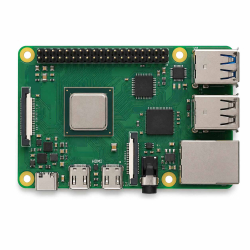
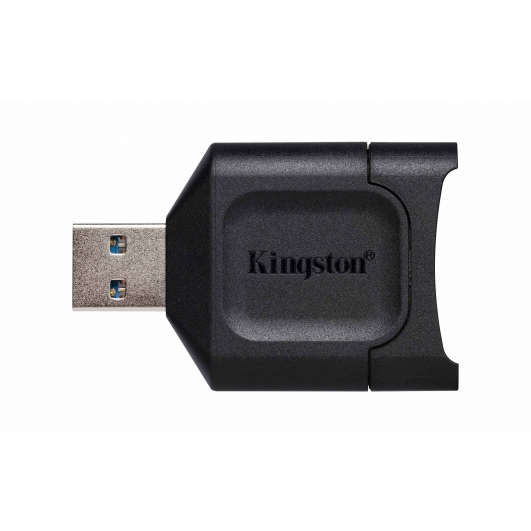
Kingston Memory Cards for Raspberry Pi Model A Board Computer
A compatible Kingston memory card is an essential storage component for many Raspberry Pi systems. It can hold the operating system, applications, configuration files and user data required by your Raspberry Pi Model A Board Computer, making the card a key part of the overall system.
Choosing the right capacity and performance level can improve day-to-day usability, especially when installing larger operating systems, running multiple applications or storing local files, media and project data.
Why Does a Raspberry Pi Need a Memory Card?
Many Raspberry Pi systems use a memory card as their primary boot and storage device. The card can contain Raspberry Pi OS or another compatible operating system, along with installed software, updates, documents and project files.
Without suitable storage, the Raspberry Pi may have nowhere to load its operating system from. A reliable memory card is therefore important whether the system is being used for education, coding, home automation, media playback, retro gaming, development or embedded projects.
Raspberry Pi Memory Card Capacity Guide
The ideal capacity depends on the operating system and how the Raspberry Pi will be used. Larger cards provide more room for applications, media, games, databases and project files, while smaller capacities may be sufficient for lightweight or dedicated installations.
|
Card Capacity |
Recommended Use |
Typical Raspberry Pi Workloads |
|
32GB |
Basic operating system storage |
Raspberry Pi OS, coding practice, lightweight applications and simple projects. |
|
64GB |
Everyday Raspberry Pi use |
Programming, education, web applications, home automation and general projects. |
|
128GB |
Expanded application storage |
Development tools, larger software installations, media libraries and retro gaming. |
|
256GB |
Performance and project storage |
Large projects, development environments, local databases, emulation and media storage. |
|
512GB |
High-capacity Raspberry Pi storage |
Large game libraries, local media servers, extensive project files and application storage. |
|
1TB |
Very high-capacity compatible systems |
Large local datasets, media collections, development projects, databases and specialist installations. |
|
2TB |
Maximum-capacity specialist storage |
Extensive datasets, large media archives and specialist Raspberry Pi applications where supported. |
Capacity guide: These are general examples only. Always check the maximum memory card capacity and card format supported by your exact Raspberry Pi Model A. Usable formatted capacity will be lower than the advertised card capacity.
Memory Card Speed Matters
A Raspberry Pi regularly reads from and writes to its storage device while booting, opening applications and saving data. A faster compatible memory card can therefore improve responsiveness compared with slower storage, particularly when launching software or performing frequent file operations.
Application Performance Class ratings such as A1 and A2 can be relevant because they relate to random read and write performance, which is important when a memory card is being used for applications rather than simply storing large sequential media files.
Kingston Memory Cards for Raspberry Pi OS
The memory card can hold the complete Raspberry Pi operating system, including system files, installed software and user settings. Higher-capacity cards provide additional room for applications, software updates and project data without requiring files to be removed as frequently.
Users can also prepare compatible cards by writing an operating system image from another computer before inserting the card into the Raspberry Pi.
Memory Cards for Raspberry Pi Projects
Raspberry Pi systems are used for an enormous range of projects, including coding, robotics, home automation, network tools, media centres, retro gaming, education and embedded computing. Storage requirements can vary significantly between these applications.
A basic educational installation may only need modest storage, while a media server, development environment or emulation system can benefit from a much larger memory card.
Memory Cards for Retro Gaming & Emulation
Raspberry Pi systems are frequently used for retro gaming and emulation projects. Game files, artwork, system data and emulator software can consume increasing amounts of storage as the library grows.
Higher-capacity Kingston memory cards can provide additional room for large game collections while keeping the operating system and supporting files on the same storage device where appropriate.
Memory Cards for Home Automation & Embedded Systems
Raspberry Pi computers are also widely used in home automation, monitoring, IoT and embedded projects. These systems may write logs, databases and sensor information to the memory card over long periods.
For workloads involving frequent writes, selecting reliable storage and maintaining appropriate backups can be particularly important.
Back Up Important Raspberry Pi Data
Because the memory card may contain both the operating system and your project data, regular backups are recommended for important Raspberry Pi installations. Keeping a backup image or separate copy of critical files can make recovery easier if storage becomes corrupted, damaged or accidentally overwritten.
Memory Card Compatibility: Always check the exact card format, capacity and speed supported by your Raspberry Pi Model A. microSDHC, microSDXC,SDHC and SDXC larger-capacity cards may require different file systems or operating system support. Not every Raspberry Pi generation supports every card specification in the same way.
Choose a Kingston Memory Card for Your Raspberry Pi
Whether your Raspberry Pi Model A is being used for Raspberry Pi OS, programming, education, media, retro gaming, home automation or development, a compatible Kingston memory card provides the storage needed for the operating system and your files. Choose the capacity and performance specification matched to your exact Board Computer and intended workload.